
Course Offering Formats
Fall course offerings fit into six types.
- HYF – Hyflex: Offers the flexibility for students to choose how they will participate for each class session: in-person, online during the meeting time, or online asynchronously.
- ON - Online: Traditional asynchronous online courses.
- ORT - Partial Scheduled Lecture: Online Real-Time (ORT) courses with some regularly scheduled online meeting day(s) and times.
- ORT - Full Scheduled Lecture: Online Real-Time (ORT) courses where all instruction is delivered online during designated meeting day(s) and times.
- OH - Online Hybrid: Courses with some regularly scheduled in-person classroom instruction along with online coursework and activities.
- Face-to-Face: Traditional in-person courses with all instruction delivered in the classroom.
Student and academic services will continue to offer remote options. Please check in regularly to see if services are being transitioned back to face-to-face.
LCC remains in close communication with our local health departments, and the college will continue to adjust its plans as needed to protect the health and safety of our students, employees and community.
How to Register
To register, Log into Banner to drop or add course(s).
Note: Prerequisite overrides are managed within each division/department.
Students can add classes based on the teaching periods. For important deadline details, see the Academic Calendar. Register early for best class selection! For additional information, call LCC at 517-483-1957 or toll-free at 1-800-644-4522.
Many LCC courses are taught in a shorter timeframe than the traditional full semester teaching period and provide the same amount of credit. See the Academic Calendar for all start and end dates, and the teaching periods.
Students must be admitted to the college and complete the required steps prior to registering.
Students should determine that all of the required course prerequisites have been met and seats are available.
Adding a Class
Online registration is available until 10 minutes prior to when a face-to-face class begins (lecture, lab).
Registration for online, online/hybrid and classes that state TBA as one of the meeting times is available until midnight (12:00 a.m.) the date the teaching period begins. All teaching period dates are listed in the Academic Calendar.
Once online registration ends for a course, follow the Late Registration and Schedule Adjustment Guidelines below.
Late Registration and Schedule Adjustment Guidelines
Students are allowed to enroll in classes and change their schedule in Banner without faculty approval or staff assistance through the first week of the part of term for 16-, 15- and 14-week courses. For 12-, 8- and 6-week courses, students have up to three days of the part of term to enroll or change their schedule.
For those late enrollment or schedule adjustment requests after the first week of the part of term for 16-, 15- and 14-week courses or after the first three days of the part of term for 12-, 8- and 6-week courses, special circumstances may be considered after consultation with and approval from faculty and with final approval from the Academic Dean.
Procedure for Schedule Adjustments and Late Registration Requests
- The student must complete the Student Section of the Drop & Add Form, found on the
Registrar's Forms page.
- Schedule adjustments after the first week of the part of term for 16-, 15- and 14-week courses or after the first three days of the part of term for 12-, 8- and 6-week courses only requires approval from both the instructor and the Academic Dean.
- The student will submit the form via email to the respective department for processing.
The department will coordinate with faculty and dean to obtain the required signatures
for the student.
- Please note that some requests may be denied after obtaining approvals from the instructor and/or the Academic Dean due to seat availability, registration holds, or prerequisite errors. Students will be notified either in person or via LCC email if a request is denied.
- The student will be notified either in person or via LCC email once request is approved and processed.
Dropping a Class
Students are responsible for dropping all courses they are not planning to attend and are responsible for payment of classes in which they are enrolled. Students should not assume they will be dropped from a class or classes for nonpayment, as there are many factors which will determine whether and when a student is dropped for nonpayment. It is the student's responsibility to verify his or her enrollment status. To verify enrollment status, students can view their schedule by logging into Banner.
Students should drop online until the deadline for each teaching period. Refunds are available based on the Refund Schedule listed in the Academic Calendar.
Please note: Dropping a class may require you to pay money back to the College if you have received financial aid. Contact the Financial Aid office before dropping!
Changing Grade Status: Audit/Credit
Students can change from audit to credit or credit to audit online up until the last date indicated on the Academic Calendar on the Registrar's Office webpage. (Please be sure to find the date that coordinates with your part of term.)
Changing enrollment status may affect financial aid.
Residency
The last day to request a change in residency status is February 23, 2026.
You can view the complete residency policy and procedures on the Student Rules, Requirements, and Procedures webpage.
To submit a request to change residency, please select the Student Declaration of Residency form on the Registrar Forms webpage.
Paying for Classes
Pay your bill to avoid having your classes dropped. Access your LCC Student E-mail Account for important updates.
If you are unfamiliar with your LCC student e-mail account, visit the Student Email Assistance page for a step-by-step guide to getting started.
Because of federal regulations, Financial Aid can only pay for classes that are in your major or program of study. It is important to keep your major updated and only register for courses needed so you don’t have to pay for classes without financial aid.
To update your major or program of study, access the Change of Program Request form. The last day to request a change of major or program of study is February 23, 2026.
Spring 2026 Academic Calendar
View the full Spring 2026 Academic Calendar.
Registrar's Office Contact
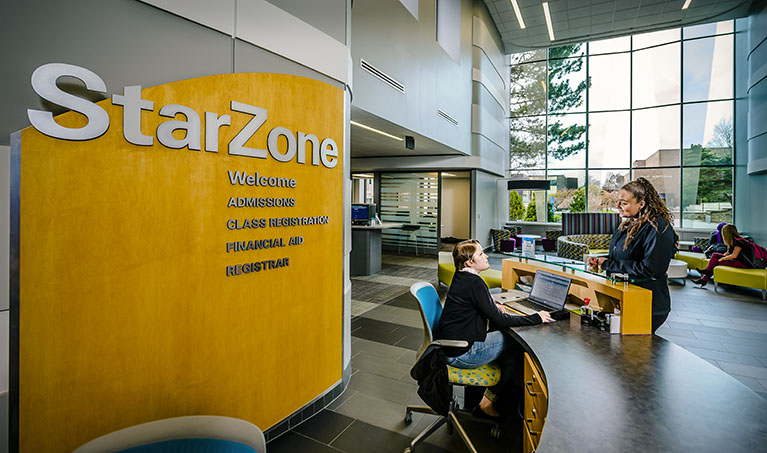
Our office is located in the StarZone in the Gannon Building. For directions, see us on Google Maps
Mailing Address
Registrar's Office
Lansing Community College
411 N Grand Ave
Lansing, MI 48933-1215
Hours
Mon - Fri: 8:00 am - 5:00 pm
Phone: 517-483-1200 option 2
Toll Free: 800-644-4522
Fax: 517-483-9668
Email: registrar@star.lcc.edu